 Vitna
Vitna
See it step by step
From install to a sent report in four moves. This page walks through the Vitna app itself — not the website.
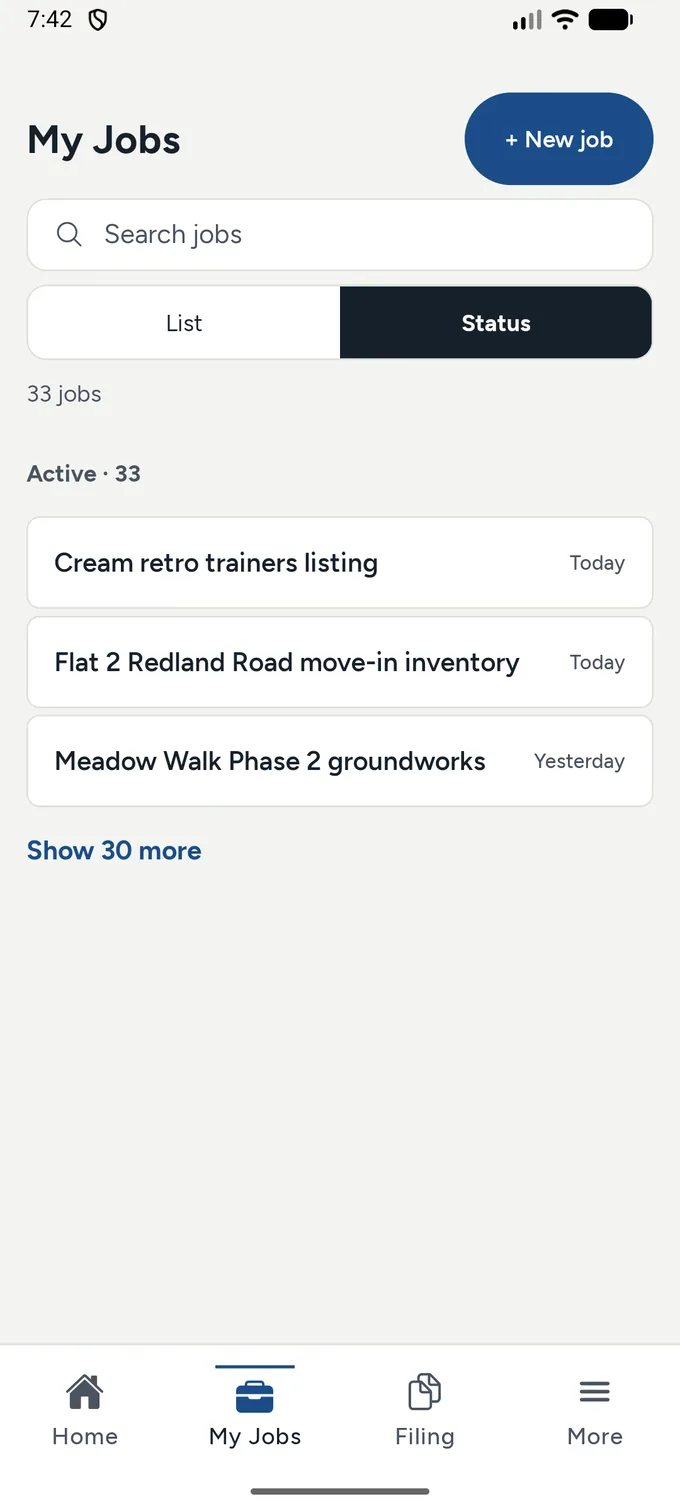
Your report, written for you
The app speaks your language — the report can still go out in the customer's language.
Start something new
Start a job in three lines: who, where, what.
The rest of the walk
Tap a numbered dot on a screen to read what it shows.
The screenshots show the app in English. On the Polish plumber page you can see the same app speaking Polish.
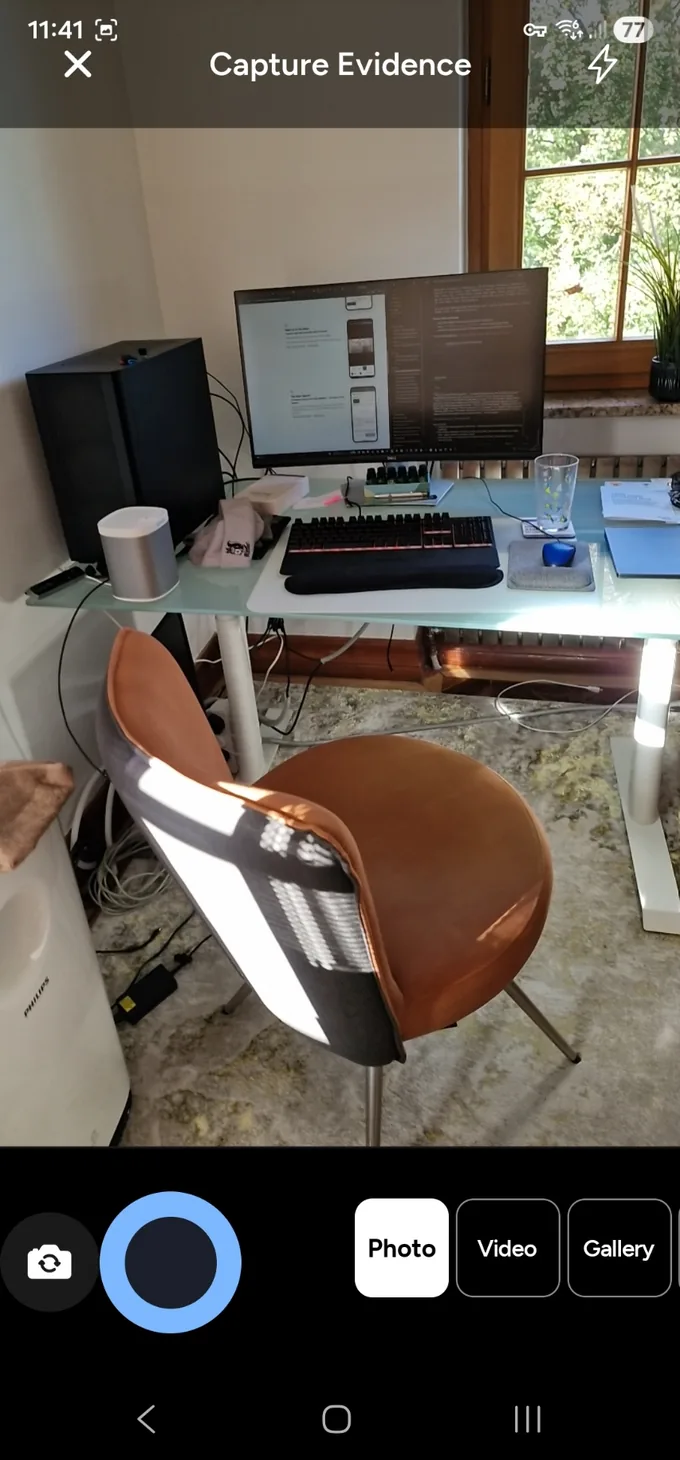
The live viewfinder
Whatever the camera sees is the evidence — frame the work and shoot.
One tap captures
The shutter takes the photo straight onto the job.
Photo, Video or Gallery
Shoot live, record video, or pull evidence from the camera roll.
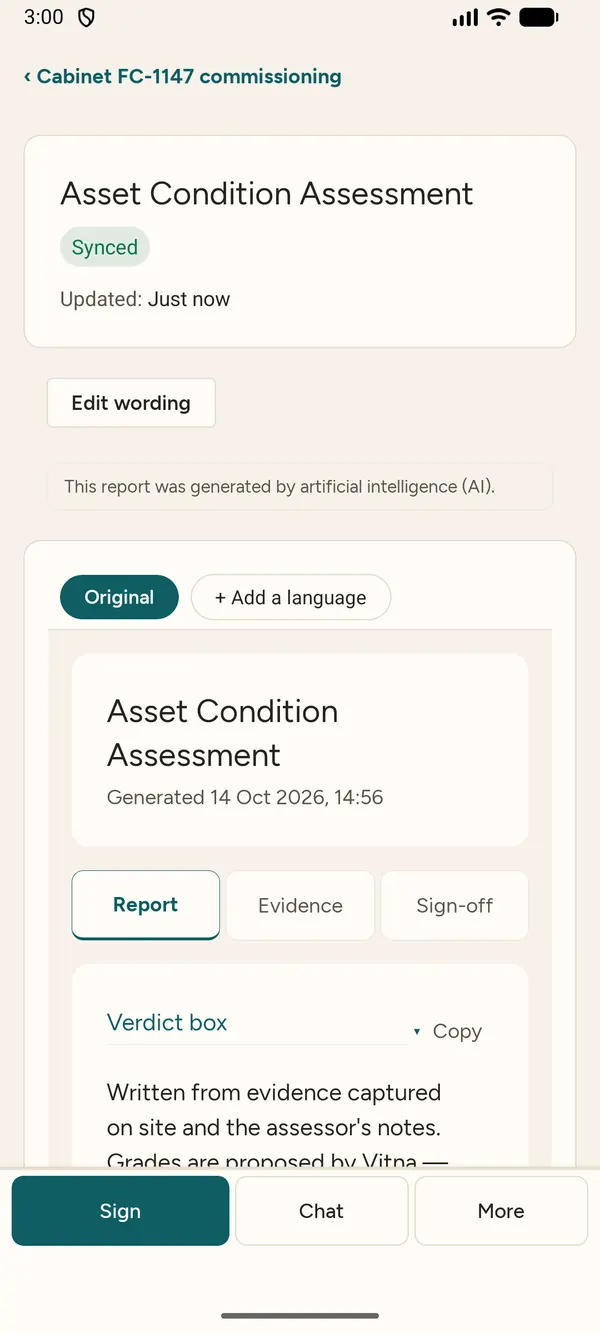
The report draft
Drafted from the job's own evidence — check and edit every word. The app says so when AI wrote the first pass.
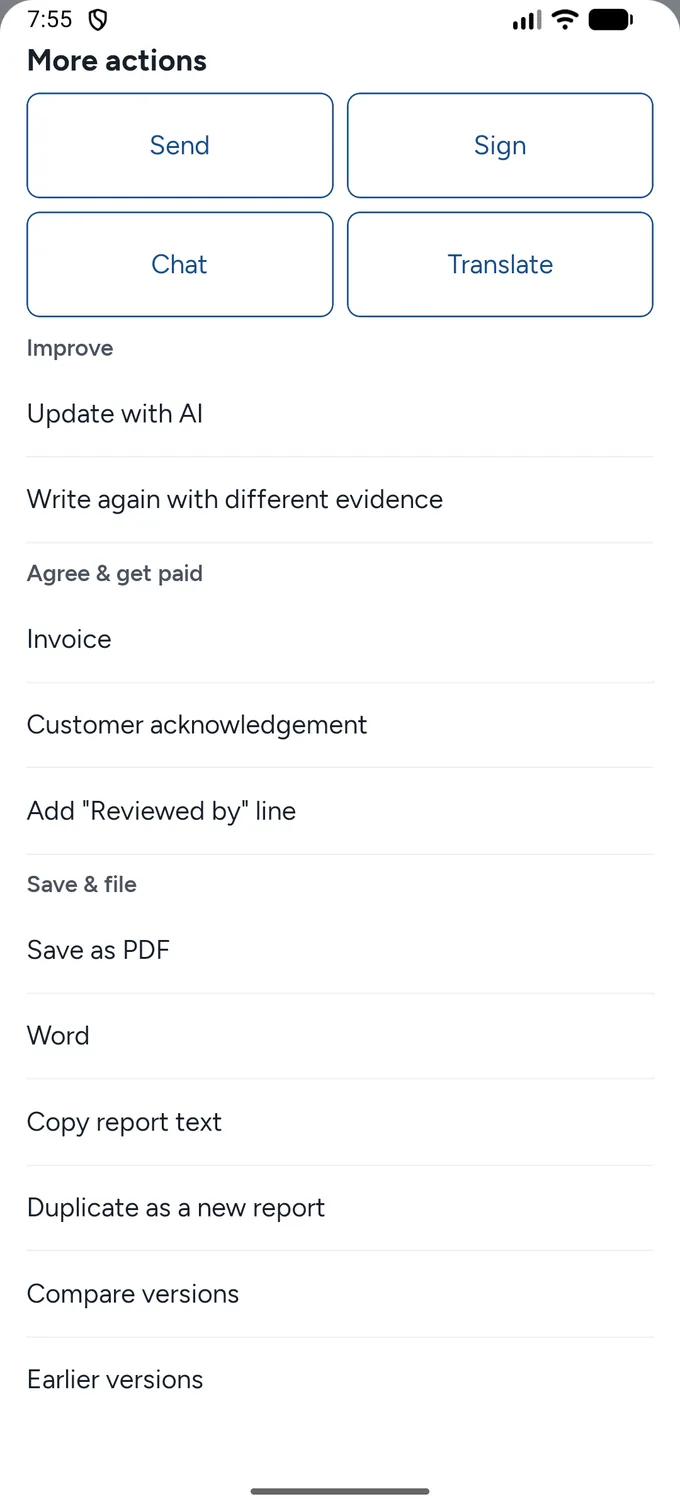
Send / PDF / Word
Export as PDF or Word, or send — in your customer's language.
How it works
The same job, from first photo to sent report.
-
Photograph the work
Everything you shoot lands on the job — counted, kept, and accounted for in the report.
-
Speak your notes
A few spoken lines per room or per fix; the draft writes them into the right sections.
-
Send the report
Check the draft, edit anything, export as PDF or Word — in your customer's language.
The four moves
-
Create your account.
One line of business details and you're in.
-
Start a job.
Who, where, what — three lines.
-
Add evidence as you work.
Photos, typed lines, voice notes.
-
Write the report.
One tap drafts it; check, edit, export as PDF or Word.
Tips
- Photograph more than you think you need — the report uses what you select, and counts what it prints.
- Speak your notes; the draft writes them into the right section.
- Pick the customer's language before you export — the whole document follows it.